Nets and parts are values
nets() hands out typed nets and a footprint factory a part; connect() checks pin names in the editor and pin counts at the call, so a misspelled net is a type error, not a one-pad net.
A board is a TSX module. The compiler places, routes, pours and checks it, and writes the Gerbers, drills, BOM and a viewer that links every item back to its line of code.
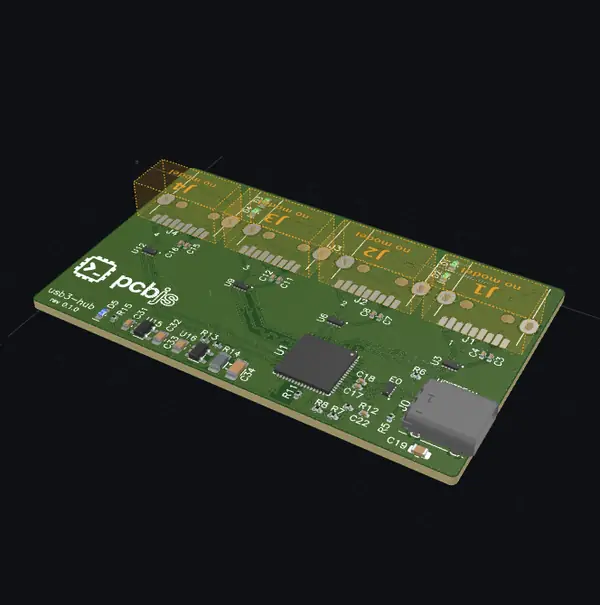
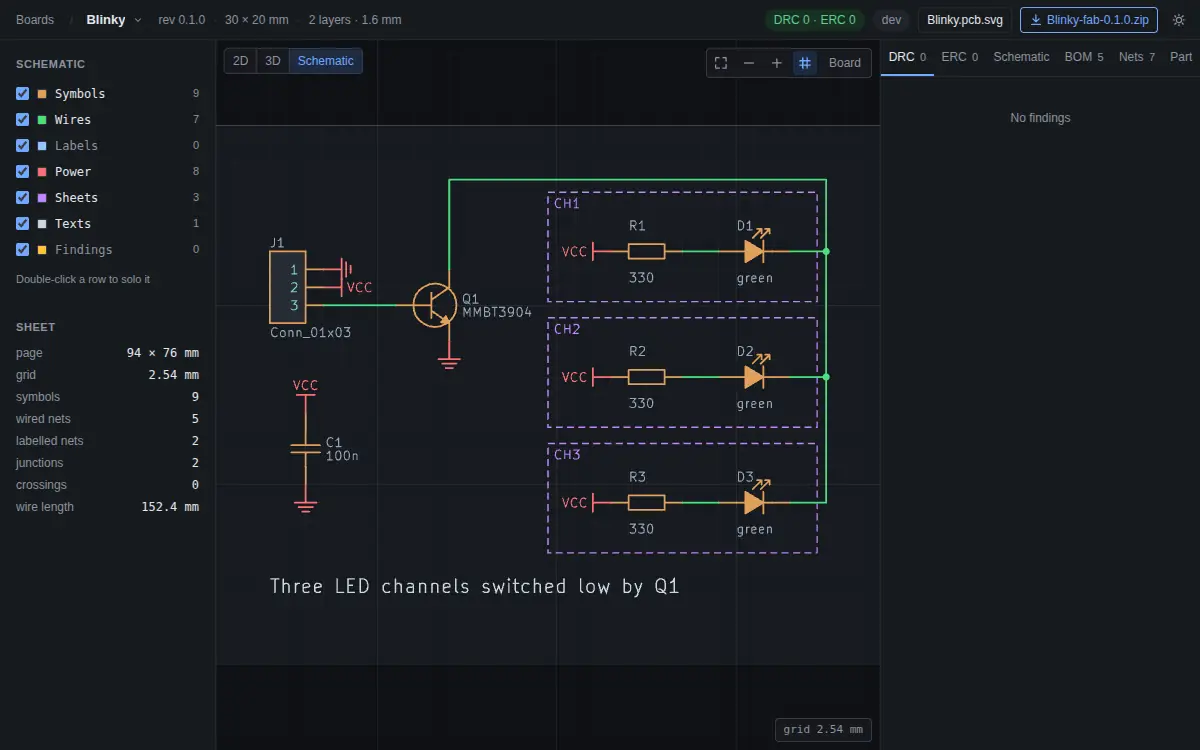
The layout of Blinky, one of the demo boards, as it is checked in: three LED channels switched by one transistor on a 30 by 20 mm board. The nets and parts come from its schematic module, and each channel is a circuit placed by its row layout.
import PCB, { route, pour, via } from '@pcbjs/core'
import { Brand, rect, roundedRect } from '@pcbjs/lib'
import * as sch from './blinky.sch'
import './blinky.sourcing'
import { LedChannelRow } from './lib/led-channel.layout'

const W = 30, H = 20

export default (
  <PCB name="Blinky" revision="0.1.0" copper={2} schematic={sch}
    rules={{ clearance: 0.2, minTrackWidth: 0.2, strictNets: true, requireSourcing: true }}
    autoroute={{ bend: '45', viaCost: 4 }}>
    <path layer="Edge.Cuts" d={roundedRect(W, H, 2)} />

    {/* J1, Q1 and C1 by hand, each channel by its circuit's row layout */}
    <J1 at="3 7.46" />
    <Q1 at="26 10" />
    <LedChannelRow g={CH1} at="0 5" label="LED1" />
    <LedChannelRow g={CH2} at="0 10" label="LED2" />
    <LedChannelRow g={CH3} at="0 15" label="LED3" />
    <C1 at="15 10" side="B" />
    <text layer="B.SilkS" at="15 8.3" size={0.8}>C1</text>

    {/* tracks as path strings, a via, and a chain whose last hop .X() leaves to the autorouter */}
    {route(VCC, { width: 0.3, d: 'M 3 10 H 9 M 9 5 V 15 M 9 11.6 H 15.8' })}
    {via(VCC, '15.8 11.6')}
    {route(VCC, { layer: 'B.Cu', width: 0.3, d: 'M 15.8 11.6 V 10' })}
    {route(SW, { width: 0.3, d: 'M 22.2 5 V 16.5 H 27 V 10' })}
    {route(J1[3]).V(14).L(5, 16).via('B.Cu').H(24).V(7.5).via('F.Cu').X(Q1[1]).width(0.25)}

    {/* GND: a pour over the back, Q1.2 autorouted into it */}
    {route(Q1[2]).X('25 12.5 B.Cu').width(0.3)}
    {pour(GND, 'B.Cu', rect(W, H))}

    <text layer="F.SilkS" at="3 4.3" size={0.8}>GND</text>
    <text layer="F.SilkS" at="15 18.5" size={1}>Blinky · pcbjs</text>
    <Brand at="15 4" height={5} layer="B.SilkS" />
  </PCB>
)
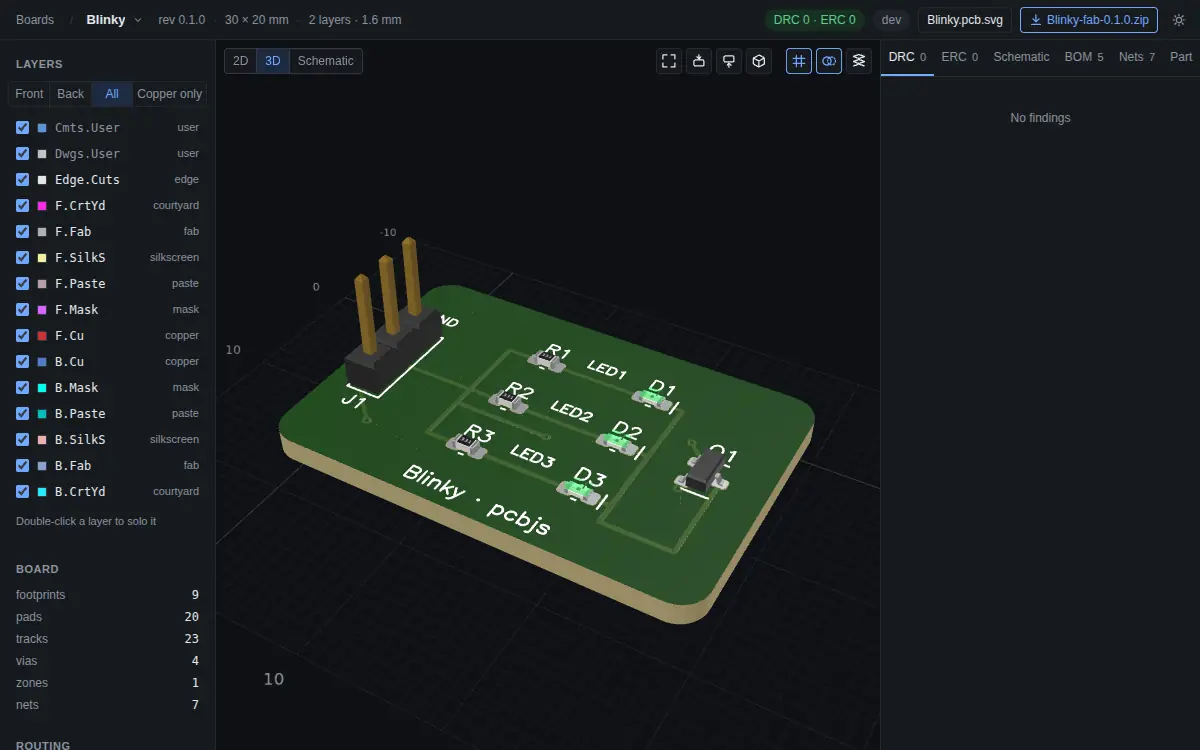
npx pcbjs check compiles, routes, and runs DRC and ERC on it; npm run dev opens the viewer:
pcbjs is a proof of concept, on npm under the beta tag until 0.1. Getting started installs it and makes a first board; Why pcbjs says what it is for and how it compares with scripted KiCad.